Audio Transcription: Turning Meeting Recordings Into Text

What audio transcription is
Audio transcription is the process of converting recorded speech into written text, either by running a speech recognition model over an audio file or by having a person listen and type it out. If you're reading this, you probably already have the file: yesterday's client call, a voice memo, an interview, a webinar export sitting in your downloads folder. Now you need the words.
That's a different problem from recording a meeting well. The recording already happened, good or bad, and you can't go back and move the microphone. What you can still control is the file you feed the tool, how you handle multiple speakers, how much accuracy you need, and how much cleanup you'll do. Those four decisions decide whether you get something a colleague reads or a wall of text nobody opens.
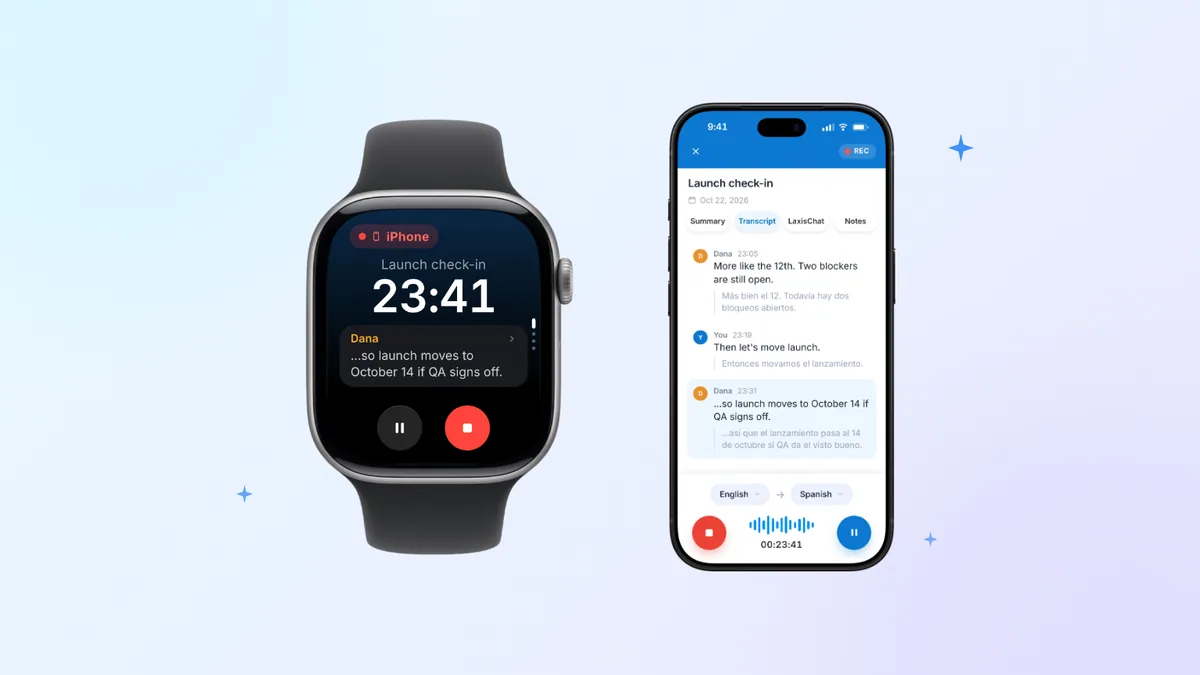
A transcript isn't meeting notes and isn't a summary: it's the full record of what was said, turn by turn. If you want the anatomy of one, here's what a transcript actually contains.
Which audio files transcribe well, and which quietly fail
Two things get conflated here: the container, which is the file extension you see, and the codec, which is how the audio inside is encoded. Most tools care about both and tell you about only the first.
| File type | Usually accepted | What to watch for |
|---|---|---|
.wav | Yes | Uncompressed, the safest input. Large files, so a long meeting can exceed an upload limit. |
.mp3 | Yes | Fine at moderate bitrates and up. Very low bitrates smear consonants. |
.m4a / .aac | Yes | The default for iPhone Voice Memos and most Android recorders. Good quality. |
.flac | Usually | Lossless and compact, but some older tools won't decode it. |
.ogg / .opus | Usually | WhatsApp and Discord exports. Opus holds up well at low bitrates. |
.mp4 / .mov | Usually | Video containers. Most tools extract the audio track; confirm before uploading gigabytes. |
| DRM-protected audio | No | Rights-managed files can't be decoded. Get an unprotected copy or re-record. |
| 8 kHz phone or voicemail audio | Yes, but | Transcribes, with noticeably worse accuracy. See below. |
Sample rate matters more than people expect. Speech models are built around 16 kHz audio; OpenAI's Whisper documentation specifies resampling input to 16 kHz mono. A 44.1 kHz recording downsamples fine. An 8 kHz recording can't be upsampled back into detail that was never captured. That's the real problem with phone audio: the ITU-T G.711 telephony standard limits the passband to roughly 300 to 3,400 Hz, cutting the high-frequency energy that separates an "s" from an "f" from a "th". Human listeners patch the gap from context; models guess, and they guess wrong on names and numbers first.
Bitrate is the other lever. A heavily compressed mp3 discards the fine detail a recognition model needs. Export at the highest quality the source offers and don't re-compress. Mono is fine, often better than a stereo file where one channel is nearly silent.
Where the file came from matters too. Cloud recordings usually arrive as an mp4 plus a separate audio-only file, and the audio-only version is the better upload. Some platforms also offer per-participant tracks, the single best thing you can do for speaker attribution. Platform transcripts have their own quirks, and getting a transcript out of Zoom works differently from uploading the raw file.
Multi-speaker audio and what speaker labels can really do
Speaker diarization is the step that splits one audio stream into who spoke when, then labels the turns Speaker 1, Speaker 2 and so on. It runs separately from the recognition that produces the words, which is why a transcript can have accurate text and badly wrong labels at the same time.
It does well when voices are distinct, people take turns, and everyone is close to a microphone. It does best of all when each speaker sits on their own channel, because then attribution isn't an inference at all. Where it breaks down:
- Crosstalk. When two people talk over each other, the model still has to assign that overlapping stretch to one label. Some tools drop the quieter speaker entirely.
- One omnidirectional mic in a big room. Reverberation off hard walls means the same voice reaches the microphone several times, slightly delayed. That smears the acoustic signature diarization depends on, and the people furthest from the mic get merged.
- Short interjections. "Yeah", "right" and "mm-hm" are too brief to characterize, so they get absorbed into whoever was speaking around them.
- Similar voices. Two people with close pitch and the same accent are routinely collapsed into one label.
- Speaker count drift. Most tools estimate how many people are present. Guess low and two colleagues share a label; guess high and one person who moved around becomes Speaker 3 and Speaker 5.
Set expectations accordingly. On a clean recording of three or four people, turn boundaries land roughly where they should and you'll spend a few minutes mapping Speaker 1 to a name. On a speakerphone recording of eight people, treat the labels as a hint, and check the moments that matter, who committed to the date, who raised the objection, against the audio.
Accuracy: what the numbers actually mean
Word error rate is the standard measure, and understanding it changes how you read every vendor accuracy claim. WER counts three kinds of mistake against a reference transcript, substitutions, deletions and insertions, then divides the total by the number of words in the reference. It's the metric NIST used in its speech recognition benchmark evaluations, and it's what "95% accurate" normally means: a 5% word error rate.
The catch is that WER treats every error as equal. A dropped "um" and a dropped "not" are both one deletion, but only one reverses the meaning of a sentence. The errors that cost you time cluster in the words you care about most: names, numbers, product terms, negations.
Then there's where the figure came from. Published accuracy numbers are measured on benchmark corpora, and those corpora are nothing like your conference room. LibriSpeech is read audiobook speech: one person, scripted, quiet room, close microphone. Switchboard is telephone conversation between strangers. A headline accuracy figure is almost always a clean read-speech result, and nobody's Tuesday standup sounds like an audiobook.
What actually degrades accuracy, roughly in order of damage done:
- Overlapping speech, the hardest case in the field.
- Reverberation and distance from the microphone, which hurts more than most people assume.
- Low bitrate or narrowband audio, for the sample-rate reasons above.
- Accents and dialects underrepresented in a model's training data. This is a well-documented limitation of speech systems, not a rounding error.
- Domain jargon, product names, acronyms and surnames: high-value words that appear rarely in training data.
- Background noise and mid-sentence code-switching, which models handle poorly unless they're built for it.
Before you commit a two-hour file, cut the first three minutes and transcribe only that. Then read it. If three minutes need heavy editing, the remaining 117 will need proportionally more, and that's the moment to choose between a machine pass plus your own editing time and simply paying a person.
The cleanup pass every raw transcript needs
Raw output from any transcription tool is a data dump, not a document. Getting it to where a colleague will read it takes a deliberate pass, and it goes faster in this order.
- Map the speaker labels to real names first. Every later step is easier once you can see who's talking, and a global find-and-replace on "Speaker 2" costs nothing.
- Fix the proper nouns. This is the most predictable failure in transcription: your company name, your product names, the acronym your team says forty times a day, the surname of the person on the call. Engines are consistently wrong, mangling a given term the same way every time, so one find-and-replace per term usually clears every instance. Better still, prevent it: custom vocabulary lets you register terms before transcription, which is what the Personal Dictionary in the Laxis meeting assistant is for.
- Choose verbatim or clean read, then stay consistent. Verbatim keeps every filler, false start and repetition, which is what you want for research or a contested record. Clean read strips them, which is what anything readable needs. Don't over-clean, though: hedging is content. "I think we can probably do it by Friday" is not the same commitment as "we'll do it by Friday".
- Paragraph and punctuate. Break at topic shifts, not at every speaker turn, or a fast exchange turns into forty one-line paragraphs.
- Add timestamps at section boundaries so anyone can jump back into the audio.
- Pull out the decisions and action items with owners attached. This is the part people actually use.
If you want the mechanics rather than the theory, we've written out the full process of transcribing audio to text step by step.
Audio in more than one language
If your recording isn't in English, or isn't only in English, two questions decide everything: does the tool detect the language on its own, and does it cover that language properly? Coverage varies a lot, and a language appearing on a support list doesn't mean it transcribes as well as English, because training data is unevenly distributed.
Laxis covers 100+ languages with automatic language detection, and for live meetings it shows side-by-side translation as people speak, with the Business plan auto-switching between up to five languages inside a single meeting. For a file you already have, work in the right order: get the transcript right first, translate second. Translating a transcript full of recognition errors produces a translation whose errors nobody can trace back to the source.
How long it takes and what it costs
Machine transcription finishes in a fraction of the recording's length, usually minutes for an hour of audio, sometimes longer if you're queued behind other jobs. Human transcription runs the opposite way: a transcriptionist works slower than real time, stopping, rewinding and checking spellings, which is why turnaround gets quoted in hours or days and priced per audio minute. Rush costs more. Get the rate card from the specific vendor rather than a general figure, because prices swing widely with turnaround, audio quality and speaker count.
The constraint people hit with software usually isn't price, it's the per-recording length cap, separate from the monthly minute allowance. Here's how that works on Laxis, which accepts uploaded audio files as well as capturing live meetings:
| Plan | Price | What you get |
|---|---|---|
| Free | $0 | 300 transcription minutes a month, 45 minutes per recording |
| Premium | $15.99 per user/month, or $9.99 billed yearly | 2,000 transcription minutes a month, recordings up to 2 hours |
| Business | $29.99 per user/month, or $19.99 billed yearly | Unlimited transcription minutes, recordings up to 4 hours, plus HubSpot and Salesforce sync |
The per-recording cap is the one that catches people out. A three-hour all-hands won't fit on Free or Premium, so you either split the file or move up a tier. And CRM sync sits on Business, not Premium, which matters if you're transcribing calls to get them into a pipeline. Laxis runs on desktop and mobile, connects to Zoom, Google Meet and Microsoft Teams, and offers a bot-free capture option when you'd rather not have a visible participant join.
If you're comparing tools rather than solving a specific file problem, our 2026 AI note taker roundup puts the category side by side.
When to pay for a human instead
Software is the right default for most audio. There are cases where it isn't, and being straight about them is cheaper than finding out the hard way.
Legal and official records. Depositions, court proceedings, regulatory filings and anything that might be entered as evidence generally need a certified transcript from a qualified transcriber who attests to its accuracy. Machine output isn't a certified record however accurate it is.
Bad audio plus high stakes. If the recording is one distant microphone in a reverberant room with heavy crosstalk, and the content genuinely matters, your editing hours will cost more than a transcriptionist would. Estimate the cleanup honestly before choosing.
A strong accent where the outcome matters. Recognition quality is uneven across accents and dialects. If the model handles the speaker's accent poorly and the transcript will be quoted, relied on, or shown back to the speaker, use a person.
Verbatim research transcription. In qualitative research, linguistics and some clinical work, the hesitations, overlaps and self-corrections are the data, not noise. Verbatim conventions are specific and machines don't apply them.
Regulated audio. Check compliance before uploading, not after. Laxis is not HIPAA compliant and does not sign BAAs, so protected health information shouldn't go through it. Other tools make different commitments; the only reliable way to find out is to ask the vendor in writing.
There's a middle option people forget: run the machine pass first, then pay a human to edit that draft rather than transcribe from scratch. Many services offer this, and it costs less than full human transcription.
Start with the file you already have
If the recording is sitting on your desktop right now, upload it, read the first few minutes, and find out what you're dealing with before deciding how much effort the rest deserves. The Laxis free tier gives you 300 transcription minutes a month with a 45-minute cap per recording, enough to test your own worst recording rather than a polished demo file, and there's no trial clock counting down while you do it. Try it with the Laxis meeting assistant and judge it on your audio, not ours.
Frequently asked questions
What is audio transcription?
Audio transcription is the conversion of recorded speech into written text, done either by speech recognition software or by a human transcriptionist. The input is an audio file such as an mp3, m4a or wav; the output is text, usually with speaker labels and timestamps. It isn't a summary.
What audio file formats can I transcribe?
mp3, m4a, aac and wav work reliably across essentially every transcription tool, and flac, ogg and opus usually do too. Video containers like mp4 and mov normally work because the tool extracts the audio track, though confirm that before uploading a very large file. DRM-protected audio can't be transcribed at all.
How accurate is automatic audio transcription?
Accuracy depends far more on your recording than on which tool you pick. Headline figures like "99% accurate" are measured on benchmark corpora of clean, single-speaker read speech, not on conference rooms. Expect worse results with overlapping speakers, a distant microphone, a reverberant room, unfamiliar accents or heavy jargon. Test three minutes of your own audio first.
Can transcription software tell speakers apart?
Yes, through speaker diarization, which segments audio by who is speaking and labels the turns Speaker 1, Speaker 2 and so on. It's dependable when voices are distinct and people take turns, and unreliable with crosstalk, similar-sounding voices, or one omnidirectional microphone in a large room. You'll still map the labels to real names yourself.
Can I transcribe an audio file I already recorded?
Yes. Laxis accepts uploaded audio files, so a recording made on your phone, on a conferencing platform or on a dedicated recorder can be transcribed without any live meeting. The free tier covers 300 transcription minutes a month with a 45-minute cap per recording; Premium raises that cap to two hours and Business to four.
When should I use human transcription instead of software?
Use a human for legal and official records that need certification, for verbatim research transcription where hesitations and overlaps are the data, and when poor audio plus high stakes mean your editing time would cost more than a transcriptionist. A practical middle path is a machine pass followed by a human editing that draft.